Suboptimal
Project Length:
Project Type:
Software used:
Languages used:
Primary Role:
4 Weeks
School / Group Project
Unreal Engine 5
Blueprints
Technical / Systems Designer
Suboptimal is a project that I started working on as a part of my 2nd year of studies at Futuregames Stockholm. I took the role of a Technical / Systems designer, designing and implementing most of the mechanics regarding the submarine's movement and controls. Alongside those responsibilities I designed and implemented a data-driven treasure system, various environmental hazards, audio design, and worked alongside the team to optimize and solve replication issues.
Submarine Movement and Controls
The submarine controls were designed to have mouse interactions similar to the Amnesia series, and every control station to behave differently from each other. When the interaction starts, the control stations start reading the mouse input Vector2 from the player. The control stations applies that Vector2 to themselves and send their result values to the Submarine blueprint through event delegates.
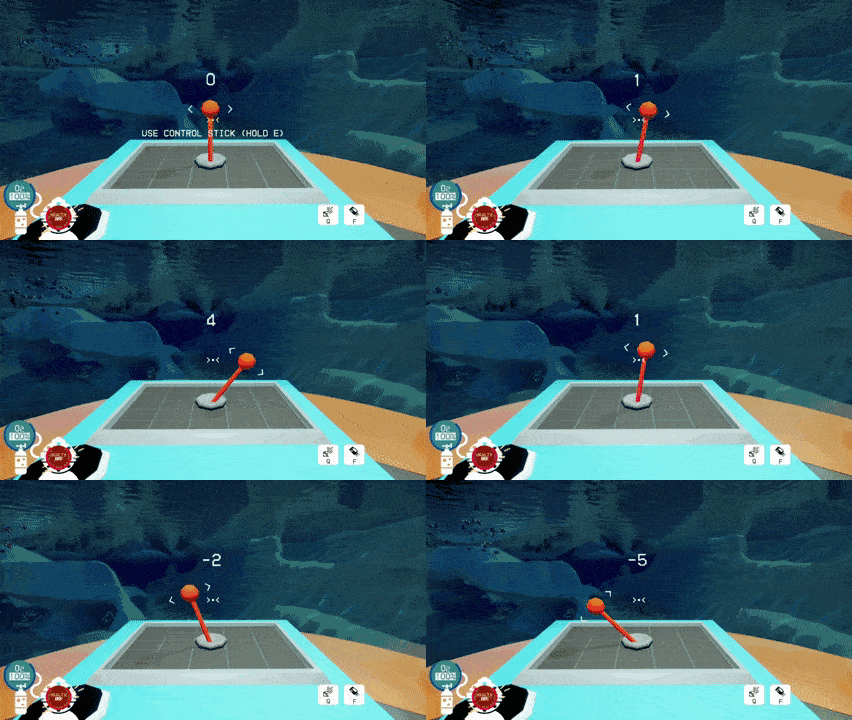
These three Control Stations were each designed to be used by different players at the same time, forcing them to communicate clearly in order to effectively steer the Submarine. Each control element is simple to use, as we wanted the challenge of the game to be based on collaborative tasks rather than mechanically difficult gameplay.
The original concept for the control stations was a bit more intricate, and had to be altered to streamline the gameplay experience. Originally, the control stick (gif in the middle), also controlled the pitch rotation of the Submarine (up and down rotation). This however proved to clash a bit with the other control systems, mainly the ascension/buoyancy controls (gif to the right). In most vehicle sim games, pitch rotation is to allow for ascending and descending, such as when controlling an airplane, but this is made redundant by the ascension/buoyancy controls. After playtesting the feature, it was ultimately changed to only control yaw rotation (left and right). In the end it was the right call. It balanced out the control scheme so that each player has approximately the same level of responsibility.
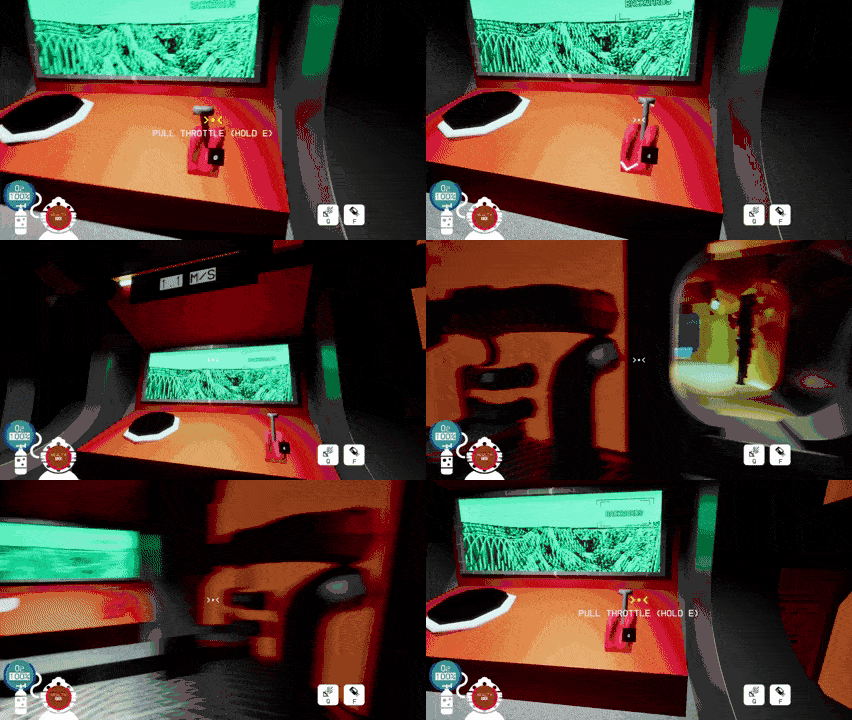

The following Blueprint is an excerpt from the BP_Lever actor (the gif on the left) that shows the main interaction logic. The CalcRotValue Macro compares the Players Control Rotation Forward Vector and gets the Dot Product of the Player Control Rotation Forward Vector and the Lever's Forward Vector and also its Right Vector (two Dot Products) and adds those two floats together. That value is calculated and added to the Lever's Rotation Value on a timer while the player is interacting. Long story short, this makes the necessary mouse movement to pull the lever be relative to where the player is standing in relation to the lever.
The following Blueprint is an excerpt from the BP_Submarine Actor. For replication purposes we chose to implement the Character Movement Component. This Blueprint shows some of the Movement Calculations as well as how it subscribes to the events supplied by the Control Stations.
Other Mechanics and Features
Alongside the main mechanics of the Submarine I also worked on a Data-Driven chest system. In the video you can see me testing if they replicate properly or not. The Chests have a reference to a Data Table which holds references to actors and an integer value. The integer value determines how likely the specified actor is to be spawned by the chest. The higher the value, the more likely it is and vice versa. In sort, it is a weighted probability system, like a raffle or lottery.
Alongside the Chest system I also made some Environmental Hazards for the level. Among those are the Geyser, which is a simple Blueprint with a Box Trigger. When a Pawn Actor (player or submarine) moves inside the Geyser (and it is active), they are pushed by it. This allowed our level designer to design more intricate and novel challenges, and made for an interesting twist on the gameplay. The BP_Geyser Blueprint can be found below.
Replication and Online Play
In this project I got to learn how to utilize Remote Procedure Calls properly in order to facilitate online play between players. It was the most challenging aspect of this project for me, but eventually I got the hang of it. Learning the best practices for where information should be stored and where/how logic should be executed to ensure smooth gameplay was incredibly rewarding. Seeing the difference between our prototype and our latest version felt amazing. One less rewarding aspect of this was however the "Unreal-isms" we sometimes had to endure to optimize the game. Such as changing the parent class of the BP_Submarine Blueprint to be a Character (often times meant for humanoid player characters), because that was in our experience the best way to replicate the Submarines movements on client-side, as the Character Movement Component replicates automatically. This lead to interesting oddities, as the Character Movement Component by default requires an upright Capsule Collider (which is not in the shape of a typical submarine), and we did not have an experienced C++ programmer in our team to help us write another class with similar replication features.
Sound Design
In this project I contributed with sound design through Unreal Engine's Metasounds system. The following is an example of a metasounds-asset created for this project. It is from the SFX for cleaning the Submarine's glass underwater. The Audio Event is later called by the "Squeegee" item when it is used to clean the Submarine.